Lone Sniper
ShootingNo downloadPC & mobile★ 4.2
About Lone Sniper
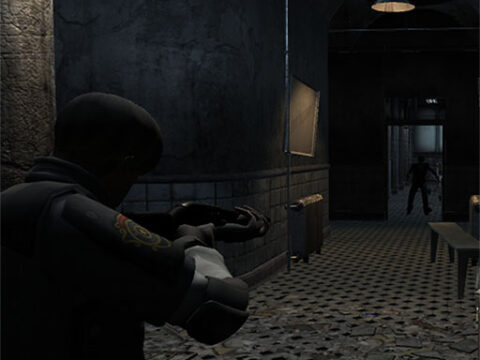
You only have 50 seconds to destroy all the enemies.
Lone Sniper sits in our Shooting collection on WeiNing Games. Like every game here it runs in the browser using HTML5, so there is nothing to install and nothing to wait for — open the page, tap play and you are in. Sessions are short enough for a break between classes or a commute, but the better you get, the more there is to chase.
How to play Lone Sniper
Open the game and press the play button. Controls are shown on screen — Mouse click or tap to play.
- Desktop: mouse and keyboard — click, drag or use the arrow keys.
- Mobile & tablet: tap, swipe or tilt depending on the title.
- Progress: most games store your best score or level on your device, so you can come back later.
Tips and tricks for Lone Sniper
- Treat each run as practice, not a test. The score takes care of itself once your habits are right.
- Slow is smooth: react to what is on screen instead of guessing what comes next, and your average run length jumps immediately.
- Learn one mechanic at a time. Players who try to master everything in one session usually plateau faster than focused players.
Why play Lone Sniper on WeiNing Games
Every game on this site loads fast, works without an account and costs nothing — Lone Sniper included. If you enjoy this one, browse the rest of our Shooting games or head to the full games list — the collection keeps growing, so it is worth checking back.
Do I need to download Lone Sniper to play?
No. Lone Sniper opens right on the page inside a browser player. No download or installation is needed.
Does Lone Sniper work on mobile?
Yes. Lone Sniper works on phones and tablets with touch screens, as well as on PC and laptop with keyboard and mouse.
Is Lone Sniper free to play?
Yes, Lone Sniper is 100% free. You do not need to create an account or enter card details to play.
What genre is Lone Sniper?
Lone Sniper belongs to the Shooting category. It suits players who want a quick browser game.